


Private Callr - Secure & Anony
3.1172.00 Reviews
App Specs
- Version
- 2.2.2
- Updated On
- License
- Free
- Downloads
- 50,000+
- Developer
- Caller ID Faker LLC
- Categories
- Communication
- Platform
- Android
Screenshots
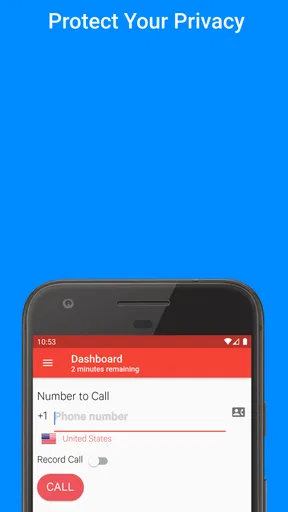
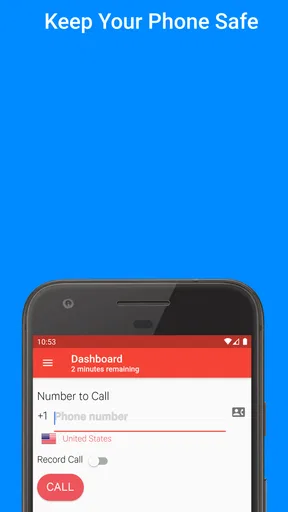
 Analysis by AppCompare
I look at Private Callr - Secure & Anony as a tool for separating a personal phone number from calls where sharing it feels unnecessary. That can be useful when contacting a seller, returning a business inquiry, or handling a short-term project. Its purpose is clear, but privacy-focused calling also calls for realistic expectations: a private number can help keep your usual number out of view, yet it does not make every call anonymous or remove the need to use good judgment.
What’s the Buzz About?
Let’s dive in. Private Callr is designed to offer a secure, anonymous calling experience. It’s available on both Android and iOS, which means you can use it no matter which side of the smartphone fence you’re on. The app claims to keep your personal number hidden, making it perfect for those who cherish their privacy.
It sits in the communication category, and Caller ID Faker LLC is its developer. The app is free to install, with in-app purchases ranging from $1.50 to $59.99 per item. That makes the first decision fairly simple: you can try the app without paying up front, but you should check what a particular calling workflow costs before relying on it regularly. I would not assume that “free” means every use is included.
The current version is 2.2.1, and the app was released on April 8, 2020. It has an average rating of 3.0 from 303 ratings, alongside 165 written reviews and more than 50K installs. Those figures suggest a modest audience and a mixed reception rather than a universally dependable choice. I’d treat it as a practical option to test for a specific need, not as a replacement for every call on my phone.
Setting Up the App
Getting started with Private Callr is as easy as pie. After downloading, the app guides you through a simple setup process. You don’t have to be a tech wizard for this one. Just follow the prompts, and you’re good to go. It takes less than five minutes, and soon you’ll be ready to make your first anonymous call.
A useful way to approach setup is to decide what you want the private number for before placing a call. If you are screening a marketplace conversation, for example, keep that purpose separate from calls to family, clients, or services that already know your regular number. This small bit of planning helps you avoid treating the app as a general-purpose phone line when you only need a boundary for one kind of contact.
The app is rated for Everyone, and its minimum OS requirement is 7.0. That gives people using older compatible devices a potential route to try it, though the best practical test is whether it works consistently on the particular phone and connection they use. I’d make a short, low-stakes test call first, then check what number appears to the person receiving it before using the app for anything important.
Worth Reading Before You Choose

Flipboard Shows What News Apps Must Do Beyond the Feed

Switching to Android Auto Means Rethinking Your Driving Routine

Google Calendar Makes a Crowded Week Easier to Manage

Ludo King Makes the Most of the Minutes Between Plans

Baby Panda World Brings Quick Play to Modern Phones, but Its Game Library Feels Busy

ESPN’s Live Game View Makes Following Close Games Easier
Features Galore
The app is packed with features that cater to anyone who wants to keep their identity under wraps. First off, you get a variety of caller ID options. You can choose from a list of numbers or even generate a random one. This can be particularly handy if you’re looking to keep things fresh and unpredictable.
That flexibility comes with a trade-off: changing the displayed number can make it harder for someone you have a legitimate reason to contact to recognize or call you back. For a one-time inquiry, a different caller ID may suit the situation; for an ongoing conversation, consistency is usually more helpful. I’d choose a number with the expected follow-up in mind rather than treating variety as automatically better.
Another feature worth mentioning is the call recording option. You can record your calls for future reference, which can be a lifesaver in some situations. However, always be mindful of the legalities involved in recording calls in your area.
Recording can also change the feel of a conversation, so I’d reserve it for a clear purpose such as keeping an accurate record of details you are entitled to document. Before relying on a recording, consider whether you can take notes instead, and make sure you understand the rules that apply to everyone on the call. A privacy tool should not become a reason to overlook another person’s privacy.
User Experience
In terms of usability, Private Callr doesn’t disappoint. The interface is clean and intuitive. Everything is laid out clearly, so you won’t find yourself fumbling around trying to figure out how to make a call. The app runs smoothly without any noticeable lag, which is always a bonus.
One thing I noticed, though, is that the sound quality could vary depending on the network connection. But hey, that’s something you can expect with most calling apps.
For an everyday scenario, imagine arranging to collect a used desk from someone you have contacted online. You may want to confirm the pickup time without handing a stranger your personal number. A separate caller ID can create that bit of distance, while a brief test call beforehand helps you spot connection problems before the arrangement matters. If the conversation turns into regular coordination, you can decide whether continuing through the app is worth the extra step or whether another contact method makes more sense.
This is also where it differs from the usual alternatives. A standard phone call is simpler and more familiar, but it normally uses the number associated with your phone line. Messaging through a marketplace or another service may keep communication within that service, which can be preferable when you do not need to speak live. Private Callr is most useful when voice contact itself matters and you want a separate caller ID; it is less compelling when a text or in-app message already does the job.
Security Concerns?
When it comes to security, the app promises to keep your data safe. It doesn’t store your call logs, and all communications are encrypted. This should offer some peace of mind to those worried about their data being mishandled.
However, it’s always a good idea to read through the privacy policy yourself to understand how your data is being used. It’s better to be informed than sorry, right?
I would also distinguish caller ID privacy from complete anonymity. Hiding your usual number from the person you call is a useful boundary, but it does not mean you should use the app to mislead, harass, or impersonate someone. For ordinary privacy, the sensible workflow is to use it for a specific, legitimate contact, avoid sharing identifying details unnecessarily, and stop if the call becomes uncomfortable or unwanted.
If you are deciding whether to pay for continued use, first work out how often you actually need a private call and whether the relevant purchase fits that pattern. A person making occasional calls may value the option differently from someone who needs a dependable separate line every day. Since the app includes paid items, checking the cost at the point of purchase is a better basis for deciding than assuming your usage will remain free.
Who’s It For?
If you’re someone who values privacy and needs to make calls without revealing your identity, Private Callr is definitely worth considering. It’s also great for businesses that need to reach out without compromising personal numbers. Whether you’re a journalist, entrepreneur, or just someone who enjoys prank calling (no judgment here!), this app could be your new best friend.
I’d narrow that recommendation to people with a clear, legitimate reason to separate their caller ID from their personal number: occasional sellers, freelancers handling a first inquiry, or anyone making a one-off call where sharing a personal number feels unnecessary. For a small business, it may help create distance between work and personal contact, but I would not build an essential customer-support routine around it without first confirming that call quality and costs suit the volume of calls.
It is not the right choice for someone who needs guaranteed reachability, a stable professional identity, or a shared team phone workflow. In those cases, a dedicated business line or a service designed for ongoing customer contact is likely a better fit. I’d also skip it if the goal is simply to avoid unwanted calls; call screening, blocking, or a number already set aside for public contact may address that problem more directly.
One practical habit is to keep a private note of which caller ID you used for a conversation, without storing sensitive details you do not need. If someone returns a call or you need to follow up, that reminder can prevent confusion. It is a small organizational step, but it matters more when the number shown to others is not the one you normally use.
What to Expect Over Time
The version number and release date give a little context for the app’s lifespan, but they do not by themselves show what has changed between releases. I would judge its current usefulness by the experience it delivers on your own device: can you set it up, place a clear call, and confirm that the caller ID suits your purpose? That is more actionable than assuming a newer or older version guarantees a particular level of service.
For existing users, the most important question is whether the app remains dependable for the kind of contact they already make. If your needs have shifted from occasional private calls to frequent business conversations, reassess the workflow rather than simply carrying on by habit. A tool that was convenient for one-off calls may become awkward when callers need to recognize you, reach you again, or speak with several people on your team.
What I would watch is the fit between the app’s core idea and your actual routine: reliable audio, a caller ID that behaves as expected, and costs that make sense for how often you call. If any of those becomes a sticking point, ordinary calling, text-based contact, or a dedicated second line may be the more sensible alternative. The best privacy setup is not necessarily the one with the most options; it is the one you can use clearly and responsibly.
Final Thoughts
Overall, Private Callr - Secure & Anony does a commendable job at what it’s supposed to do: keep your calls private. With its user-friendly interface and a host of features, it’s a solid choice for anyone looking to stay anonymous. Sure, there might be a few hiccups along the way, but nothing that detracts from the overall experience.
So, if you’re in the market for an app that offers anonymity with ease, why not give Private Callr a whirl? You can find it on the app store, ready for download. Happy calling!
Pros
- Easy to use interface for seamless navigation.
- High level of encryption ensures privacy.
- No registration required for anonymity.
- Low data usage for efficient performance.
- Customizable caller ID options available.
Cons
- Limited free features; subscription needed.
- Ads can be intrusive at times.
- Occasional minor bugs in app updates.
- Customer support is email only.
- Not available in all countries.
FAQs for Private Callr - Secure & Anony
What is Private Callr - Secure & Anony, and how does it work?
Private Callr - Secure & Anony is an app designed to enhance your privacy by allowing you to make anonymous and secure calls. It works by masking your real phone number, ensuring your personal information remains confidential. The app uses advanced encryption protocols to secure your communication, providing peace of mind for sensitive conversations.
Is Private Callr - Secure & Anony safe to use?
Yes, Private Callr - Secure & Anony is designed with user safety in mind. It employs strong encryption methods to protect your calls from unauthorized access. Additionally, the app does not store call logs or personal information, further safeguarding your privacy. Always ensure you download the app from a trusted source for maximum security.
Does Private Callr - Secure & Anony require a subscription?
Private Callr - Secure & Anony offers both free and premium options. The free version includes basic features, while the premium subscription unlocks additional functionalities like unlimited calls and advanced security settings. Users can choose the plan that best suits their needs, with the option to upgrade at any time.
Can I use Private Callr - Secure & Anony for international calls?
Yes, Private Callr - Secure & Anony supports international calling. The app allows you to make anonymous and secure calls to various countries, making it ideal for users who require privacy while communicating globally. However, users should check the app's terms and conditions regarding international call charges.
What platforms is Private Callr - Secure & Anony available on?
Private Callr - Secure & Anony is available for both Android and iOS platforms. Users can download it from the Google Play Store or the Apple App Store. The app is designed to be user-friendly and compatible with a wide range of devices, ensuring a seamless experience across different operating systems.


